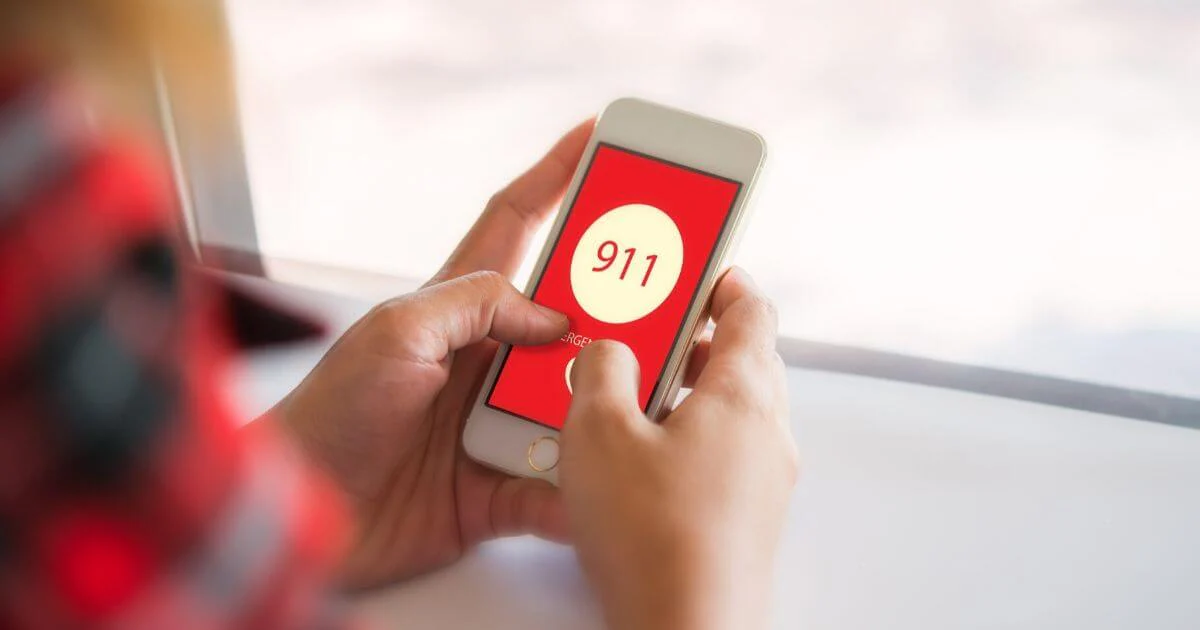
Red Phone Signal: Complete Guide to Meaning, Causes & Fixes
The term Red Phone Signal has become increasingly common as smartphone users face connection problems, weak network strength, and sudden communication errors in daily life. Seeing the red signal icon on a phone can be confusing or stressful because it often means the device cannot connect to the network. Whether you use an iPhone, Android, or any other mobile device, the red phone signal usually indicates a serious issue preventing calls, messages, or mobile data from working. This complete guide (in simple English) explains what the red phone signal means, why it appears, the top reasons behind it, and the best solutions to fix it in 2025.
What Is the Red Phone Signal?
A Red Phone Signal refers to the red or warning-colored signal indicator on a smartphone that shows no network connection, dangerously weak signal, or a system problem affecting communication.
What the Red Signal Usually Means
- zero network bars
- weak or unstable service
- SIM error
- airplane mode is turned on
- network outage in your area
- blocked service or unpaid bill
Different phones show it differently, but the meaning is the same: the phone cannot properly connect to the network.
Why Users Pay Attention to the Red Phone Signal
Because it affects:
- calling
- texting
- mobile internet
- app usage
- location services
A red signal can disrupt work, online meetings, banking, maps, and daily tasks.
Main Reasons Behind the Red Phone Signal
There are several common causes for seeing the red phone signal. Understanding these helps you fix the problem quickly.
1. Poor Network Coverage
If you are far from cell towers or in a remote area, your phone may not receive enough network signal.
2. SIM Card Issues
A faulty or improperly placed SIM card can trigger the red signal.
Common SIM Problems
- SIM is loose
- SIM is dirty or damaged
- SIM is expired
- SIM is not activated
3. Network Outage
Sometimes the problem is not your phone — the carrier’s network may be down.
4. Airplane Mode Is On
Airplane mode blocks all signals. Even a small mistake can disable your network.
5. Blocked or Suspended Service
If you have:
- an unpaid bill
- a blocked SIM
- a deactivated number
you may see the red signal.
6. Phone Software Issues
Buggy updates or corrupted settings can break network connections.
7. Hardware Problems
A damaged antenna inside the phone can also cause the red signal.
8. Weather or Environmental Interference
Heavy storms, mountains, metal buildings, or underground areas weaken network reception.
How to Fix the Red Phone Signal (Step-by-Step)

Here are the best solutions to fix the red signal on any phone.
1. Restart Your Phone
This is the simplest and most effective solution.
- clears temporary glitches
- refreshes network settings
2. Check Network Settings
Make sure:
- Airplane mode is OFF
- Mobile data is ON
- Network mode is correct (4G/5G)
3. Remove and Reinsert the SIM Card
Steps:
- Turn off the phone
- Remove SIM
- Clean it gently
- Insert correctly
- Restart the phone
4. Change Your Location
Move to:
- outdoors
- open areas
- near a window
Many buildings block signals.
5. Update Your Phone
Install the latest software update to fix bugs.
6. Reset Network Settings
This resets:
- Wi-Fi
- mobile data
- Bluetooth
It does NOT delete personal data.
7. Contact Your Network Provider
Ask if:
- your area has outage
- your SIM is active
- your plan is valid
8. Try a Different SIM
If another SIM works, your original SIM is the problem.
9. Check for Hardware Damage
If dropped in water or hit badly, the antenna may be damaged. A technician can diagnose this.
Red Phone Signal on iPhone
iPhones show red signal bars when offline or disconnected.
Common iPhone Causes
- carrier update needed
- SIM not detected
- network settings corrupted
How to Fix It
- go to Settings > General > About (check carrier update)
- reset network settings
- update iOS
- toggle Airplane Mode
Red Phone Signal on Android
Android phones display red bars when network connection is weak.
Common Android Causes
- software glitches
- incorrect network mode
- SIM tray issues
How to Fix It
- choose 4G/5G mode
- restart device
- check APN settings
- update Android version
Meaning of Red Phone Signal in Apps
Apps like WhatsApp, Messenger, Instagram, and Gmail show red signal warnings if:
- your internet is down
- your network is blocked
- airplane mode is active
App Symptoms
- messages not sending
- calls not connecting
- videos not loading
Red Phone Signal & Mobile Data Issues
Sometimes your signal looks fine, but mobile data does not work.
Possible Causes
- wrong APN settings
- no data plan
- network congestion
Fixes
- reset APN
- contact provider
- disable VPN
Why the Red Phone Signal Appears Suddenly
Several unexpected issues can cause sudden red signal alerts.
Sudden Causes
- tower maintenance
- system update
- roaming issues
- SIM expired
Understanding these helps you avoid panic.
Red Phone Signal and 5G Networks
5G is fast but sensitive to obstacles.
Why 5G Shows Red Signal
- too far from a 5G tower
- switched to unsupported frequency
- phone not compatible
Fix
Switch to 4G (more stable).
Preventing Red Phone Signal Problems
Here are tips to avoid future network issues.
1. Keep Your Phone Updated
Software updates improve connectivity.
2. Check Your SIM Condition
Replace damaged SIM cards immediately.
3. Avoid Extreme Environments
Signals weaken in:
- basements
- tunnels
- remote deserts
- mountains
4. Choose a Strong Network Provider
Pick a carrier with good coverage in your area.
5. Use Wi-Fi Calling
Wi-Fi Calling helps when mobile signal is weak.
Red Phone Signal in Travel or Roaming
Travelers often see red signal warnings abroad.
Why It Happens
- roaming turned off
- unsupported network
- SIM not valid outside country
Fix Tips
- enable roaming
- buy a local SIM
- use international eSIM
Red Phone Signal in Emergency Situations
During disasters or heavy traffic, networks become overloaded.
Possible Causes
- too many people using the network
- towers damaged
- emergency lines prioritized
Solutions
- try SMS
- use Wi-Fi calling
- wait for network recovery
When You Should Visit a Technician
Go for repair if:
- phone always shows red signal
- SIM works in other phones but not yours
- phone was dropped or exposed to water
This may indicate hardware damage.
Frequently Asked Questions
1. Why is my phone showing a red signal?
It means the network connection is weak or unavailable.
2. Is the red phone signal dangerous?
No, but it prevents communication.
3. Can software updates fix the issue?
Yes, updates often fix network bugs.
4. Should I replace my SIM card?
Yes, if the SIM is old or damaged.
5. Does a red signal mean my phone is broken?
Not always — usually it’s a network issue.
Final Thoughts
The red phone signal is a warning that your mobile device cannot connect to the network properly. Whether caused by weak coverage, SIM problems, software errors, or network outages, the issue is usually easy to fix with simple steps like restarting the phone, checking the SIM, updating software, or contacting your provider. Understanding the meaning behind the red signal helps reduce stress and keeps your phone working smoothly every day. With the right knowledge, you can solve connection problems quickly and enjoy strong, reliable network performance.